
Never Lose Access Again! Master Passwords, Reduce Risk, And Sleep Better Knowing Your Data Is Secure
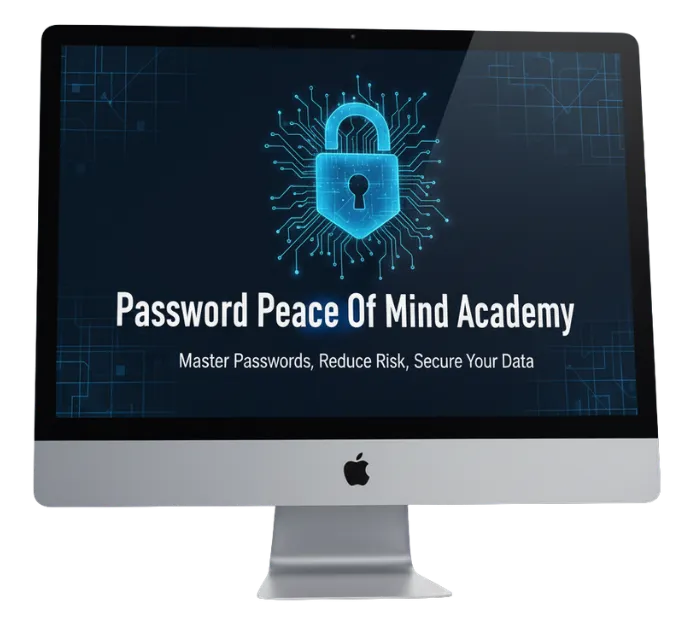
In this six module training, Shane will teach you how to master passwords, cut frustration, reduce risk, and secure your accounts without wasting time or feeling overwhelmed.
Taught LIVE by an expert technician. Beginner-friendly with no technical experience required to join.
Enjoy Hassle-Free, Secure Access To Every Account.
No Stress, No Guesswork, Just Peace Of Mind
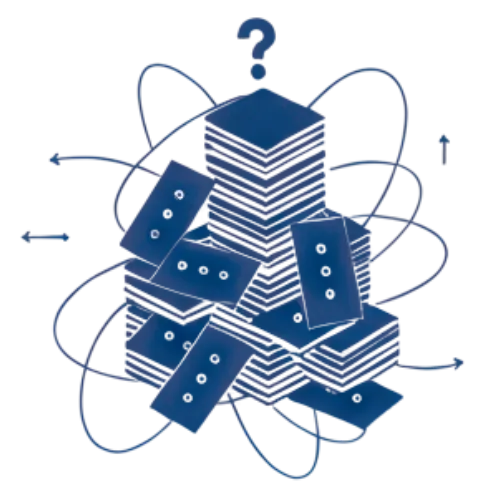
Password Overload
and Confusion
You’re juggling countless logins, complex rules, and too many accounts to track. It’s exhausting and getting locked out always happens at the WORST time. In the Password Peace of Mind Academy, you’ll learn a simple, organized system that makes password management effortless.

Fear of Cyber Threats and Costly Mistakes
You worry about hackers, data breaches, or losing access to something important. One wrong click feels like it could cost you everything. This program gives you clear, trusted steps to protect your personal and business data, without all the tech jargon or anxiety.

Lack of Time and
Confidence
You don’t have hours to figure out complicated security tools, and you shouldn’t need to be “tech-savvy” to stay safe online. This program walks you through everything step-by-step, helping you build confidence, save time, and finally feel in control of your digital world.
Recognize These Frustrations in Your Daily Routine?

You’re constantly resetting passwords or getting locked out of accounts.

You’re avoiding updates or using new tools out of fear of making mistakes.
Sound familiar? You’re tired of lockouts and security worries, but as a business professional, you can’t afford to fall behind or risk a breach.
Recognize These Frustrations in Your Daily Routine?
You’re constantly resetting passwords or getting locked out of accounts.
You’re avoiding updates or using new tools out of fear of making mistakes.
Sound familiar? You’re tired of lockouts and security worries, but as a business professional, you can’t afford to fall behind or risk a breach.
Why I Developed The Password Peace Of Mind Academy
You don’t need to be “techy” to take control of your computer.
You just need someone who’s been in your shoes AND knows the way out.
I’ve spent years helping everyday professionals and small business owners who were tired of slow systems, confusing pop-ups, lost files, and endless “updates.” Most of them thought they were the problem. They weren’t. The real issue was that no one ever showed them how simple computer care can actually be when it’s explained in plain English without the jargon, fear tactics, or expensive service calls.
That’s why I developed the Password Peace of Mind Academy, a no-nonsense, step-by-step course built from real repair shop and client experience. I’ve seen every kind of computer meltdown, from accidental file deletions to total hard-drive crashes, and helped hundreds of clients get back up and running without the panic or pricey tech visits.
This program distills those same insider techniques into an easy-to-follow system that gives you control over your own devices. You’ll not only fix issues faster, you’ll understand what’s happening, so you can prevent them next time.
Why is this program so important? Because once you know the tricks the pros use, your computer stops being a mystery and starts being a tool you trust again.

Take Control Of Your Computer WITHOUT The Confusion, Cost, Or Tech Speak

You keep wasting precious hours battling slow computers, confusing settings, and surprise “fix” fees. Each crash or pop-up feels like a setback, and your confidence takes another hit. Without a clear system, these small issues pile up until you’re locked out, paying hundreds, or risking lost or compromised data. Don’t stay stuck guessing when you could be in control for good!
That’s exactly why I developed the Password Peace of Mind Academy. I want to end the guesswork, save you time, and give YOU the confidence to handle tech issues with ease!
With the Password Peace of Mind Academy, you’ll learn a simple, step-by-step system to create strong passwords, organize them safely, and manage your logins without stress. I give you the tools and confidence you need to protect your accounts, prevent lockouts, and take control of your digital security, once and for all.
Password Peace of
Mind Academy
A clear, confidence-building program that teaches non-techy business owners how to create, organize, and protect your passwords so you stay secure, stress-free, and always in control online.
Font
Secure Your Accounts And Simplify Your Digital Life. Gain Lasting Confidence And Freedom With Every Login!

By the end of our time together, you’ll have a secure, organized system for every login. You’ll also have the confidence to manage your digital life without fear, frustration, or forgotten passwords.
Here’s What You’ll Learn With The Password Peace Of Mind Academy
Each 90-minute, twice-monthly course brings you to a different point of clarity, allowing more freedom
and control over your digital space.
Module 1: Introduction To Password Security
Why do passwords matter? For that matter, what’s wrong with using one strong password across all of your accounts and devices?
In this session, I’ll use simple language and relatable examples to debunk myths and misinformation surrounding password protection, teach you why passwords are your first line of defense online, and why weak passwords put EVERYTHING at risk so that you can feel empowered to take control of your digital security.
Module 2: Creating Strong, Secure Passwords
Ok, passwords are important, and using different passwords too! But it’s so hard to remember them all!
This module introduces step-by-step methods to create strong, easy-to-remember passwords, strategies to avoid common pitfalls when choosing passwords, and gives you practical tips to balance security and usability. Creating strong, memorable passwords isn’t complicated, it’s a straightforward process that you can do confidently.
Module 3: Password Management Techniques
You’ve got your strong passwords, but you’re still writing them on sticky notes and posting them where anyone can see?
Let me introduce you to simple yet safe organizing techniques. There are many password managers out there and you never quite know how they work, so let my years of experience and knowledge of best practices guide you in choosing the right one for you. Then I’ll SHOW you how to do it!
Module 4: Two-Factor Authentication (2FA) & Additional Protections
What in the world is 2FA? Why is it important? It may seem like another way to make accessing your accounts even MORE difficult, but there’s a reason, I promise!
In Module 4, I provide simple explanations of 2FA benefits and other security improvements. Have an account that already uses 2FA? I’ll lead you through step-by-step setup for common platforms, helping you remove tech barriers to your work and add an extra layer of protection for your most valuable information.
Module 5: Handling Password Resets And Recovery
Have you ever experienced platforms that require you to change your password regularly? Do you just repeat your old password with a new number or symbol at the end so you don’t forget it?
How about those password recovery questions like “your mother’s maiden name” or other personal information that is EASY for a cyber-criminal to look up?
In this module, I teach best practices for managing security questions and backup methods. I show you clear processes for secure password recovery, and even provide preventative tips for avoiding account lockouts in the future! No more 123’s, let’s get your digital assets more secure and learn EXACTLY what to do if you get locked out.
Module 6: Maintaining Good Security Habits
You’ve got your strong passwords, but now you’ve got to change them? Regularly???
And then there are those “phishy” emails and you never know what is safe to click. How can you keep up in this fast-paced digital world?
Maintaining good security habits goes beyond just having a good password, it also takes understanding threats and staying vigilant so your data never gets compromised. In this session, I provide an easy-to-follow routine for ongoing password care, educate you on cybersecurity threats and how they apply to you, as well as give practical steps to keep you confident in your security.
Think I’m Done? Not Yet! Let’s Talk About The 5 FREE Bonuses You Get When You Enroll Today!
Bonus 1: Printable Password
Hygiene Checklist
Keep yourself on track with easy-to-follow daily, weekly, and monthly password and security habits, making ongoing digital safety simple and routine.
Bonus 1: Printable Password
Hygiene Checklist
Keep yourself on track with easy-to-follow daily, weekly, and monthly password and security habits, making ongoing digital safety simple and routine.
Bonus 2: Exclusive Access to
Monthly Q&A Sessions
Got a question? Keep yourself informed and up to date beyond your core training. Join my monthly Q&A sessions and receive ongoing expert advice and personalized answers to YOUR specific concerns.
Bonus 3: Step-By-Step Guide To Choosing The Right Password Manager
There are so many password managers to choose from, and it seems like there’s a new one every week! Empower yourself to confidently select and set up the best password manager for YOUR needs. Remove the confusion and enhance your long-term digital security.
Bonus 4: Emergency Lockout Recovery Kit
This kit comes with ready-to-use plans and tools to quickly regain access to locked accounts. Reduce your panic, reduce your downtime, and get back to work with confidence!
Bonus 5: Cybersecurity Awareness Tips For Families And Staff
A chain is only as strong as it’s weakest link, and if you’re a business owner that shares your passwords with other members of your team, it’s important for them to understand digital security too! Extend your protective knowledge to loved ones or team members and foster a broader culture of security and reducing overall risk.
Get Everything You Need For Total Password Confidence And Peace Of Mind
Enroll today and gain the skills, tools, and support you need to take control of your digital security! Learn about…
Modules
Password Security
Creating Strong, Secure Passwords
Password Management Techniques
Two-Factor Authentication (2FA) And Additional Protections
Handling Password Resets and Recovery
Maintaining Good Security Habits
Bonuses
Printable Password Hygiene Checklist
Exclusive Access to Monthly Q&A Sessions
Step-By-Step Guide To Choosing The Right Password Manager
Emergency Lockout Recovery Kit
Cybersecurity Awareness Tips For Families and Staff
Over $2500+ in value based on over 2000 clients spanning over a decade of service many of which I have 5 star testimonials from online! (Google,Thumbtack, Yelp, Facebook)
Still On The Fence? Here’s Our Money Back Guarantee! Don’t Wait Till It’s Too Late!
We are committed to delivering exceptional value through the Password Peace of Mind Academy. To ensure this program is a good fit for you, please review the curriculum and commitments carefully prior to enrollment.
If, after attending the first live session and completing all assigned pre-work and exercises up to that point, you genuinely feel the program is not meeting your expectations, you may request a refund within 7 days of that session.
To qualify for a refund, you must:
- Attend the full first live session
- Submit evidence of your engagement with the coursework (e.g., completed exercises, attendance)
- Provide specific feedback outlining why the program did not meet your needs.
We are committed to delivering exceptional value through the Password Peace of Mind Academy. To ensure this program is a good fit for you, please review the curriculum and commitments carefully prior to enrollment.
If, after attending the first live session and completing all assigned pre-work and exercises up to that point, you genuinely feel the program is not meeting your expectations, you may request a refund within 7 days of that session.
To qualify for a refund, you must:
- Attend the full first live session
- Submit evidence of your engagement with the coursework (e.g., completed exercises, attendance)
- Provide specific feedback outlining why the program did not meet your needs.
Refund requests made without fulfilling these conditions or made after the 7-day window will not be accepted.
This policy helps protect the integrity of the program and ensures commitment from all participants, so we can continue providing high-quality, personalized support.
If you have any questions or concerns before signing up, please reach out! I’ll be happy to help you determine if this program is right for you.

This Program Works! But Don’t Just Take My Word For It, Here’s What Some Of Our Previous Students Had To Say!

Rita H.

We really enjoyed Shane’s knowledge and ability to explain the issues with our MacBook. He was very patient and professional. He was very tidy in appearance and totally keeping us informed of his ETA. Also he’s very good at staying on task in spite of all the questions we were firing at him. We would definitely use him again.

Carol W.
Shane was very professional, knew his business and did exactly what I was looking for, including following up on helping me find the printer I was looking for. I definitely recommend him to others and will use him again when needed.

Matt Mackowiak
Shane from Secret Simple is fantastic! Knows exactly what he's doing, works quickly, and is reasonably priced.
Have a question?
Here’s what’s been asked before:
Who is this program best suited for?
This program is ideal for busy professionals and small business owners over 60 who want simple, practical guidance to strengthen their password security and reduce tech-related stress.
How long is each session, and how often do they occur?
Each live session lasts about 90 minutes and is held twice a month throughout 2026, giving you manageable, ongoing learning.
Do I need to be tech-savvy to participate?
Not at all! The course is designed to be beginner-friendly with clear explanations and step-by-step instructions. No prior tech skills required!
What if I miss a live session?
Don’t worry! Sessions are recorded and made available for replay so you can learn at your own pace.
What does the $5,000 Done-For-You include?
It offers personalized, expert password setup, audits, and ongoing security management, giving you complete peace of mind without lifting a finger.
How secure is the information I share during the program?
Your privacy and data security are my top priority. All information shared is handled with strict confidentiality and professional care.
Can I get help if I have questions outside of class time?
Yes! You’ll have access to monthly Q&A sessions and direct support options to address your concerns as they come up.
How soon will I see results?
Many of my students feel immediate relief after their first session with clearer understanding and actionable steps. Full confidence and security build progressively throughout the program
If You’ve Made It Here, It’s Time To Decide!
If you’re ready to stop feeling anxious every time you log in and finally take control of your digital life, this is your moment! The Password Peace of Mind Academy will give you the confidence, clarity, and protection you’ve been missing, so you can focus on what truly matters, not tech headaches. Imagine logging in effortlessly, knowing your data is safe, and sleeping soundly without fear of breaches or lockouts. That peace of mind starts NOW. Enrollment is open, but this price won’t last forever. If you’re ready for lasting confidence and security, join today and take back control.
Copyright © 2014-2026 Secret Simple Computer Repair. All Rights Reserved.